Browse your TigerBeetle clusters, natively on macOS.
Keber is a read-only SwiftUI app for ledgers, accounts, transfers, balance history, and pending → post/void chains. It talks to your cluster through the official C client, with no helper process in between.
macOS 15 or later · Universal (Apple Silicon & Intel) · Works with TigerBeetle 0.17.9
Or brew install --cask golobitch/tap/keber— there's a terminal UI too.
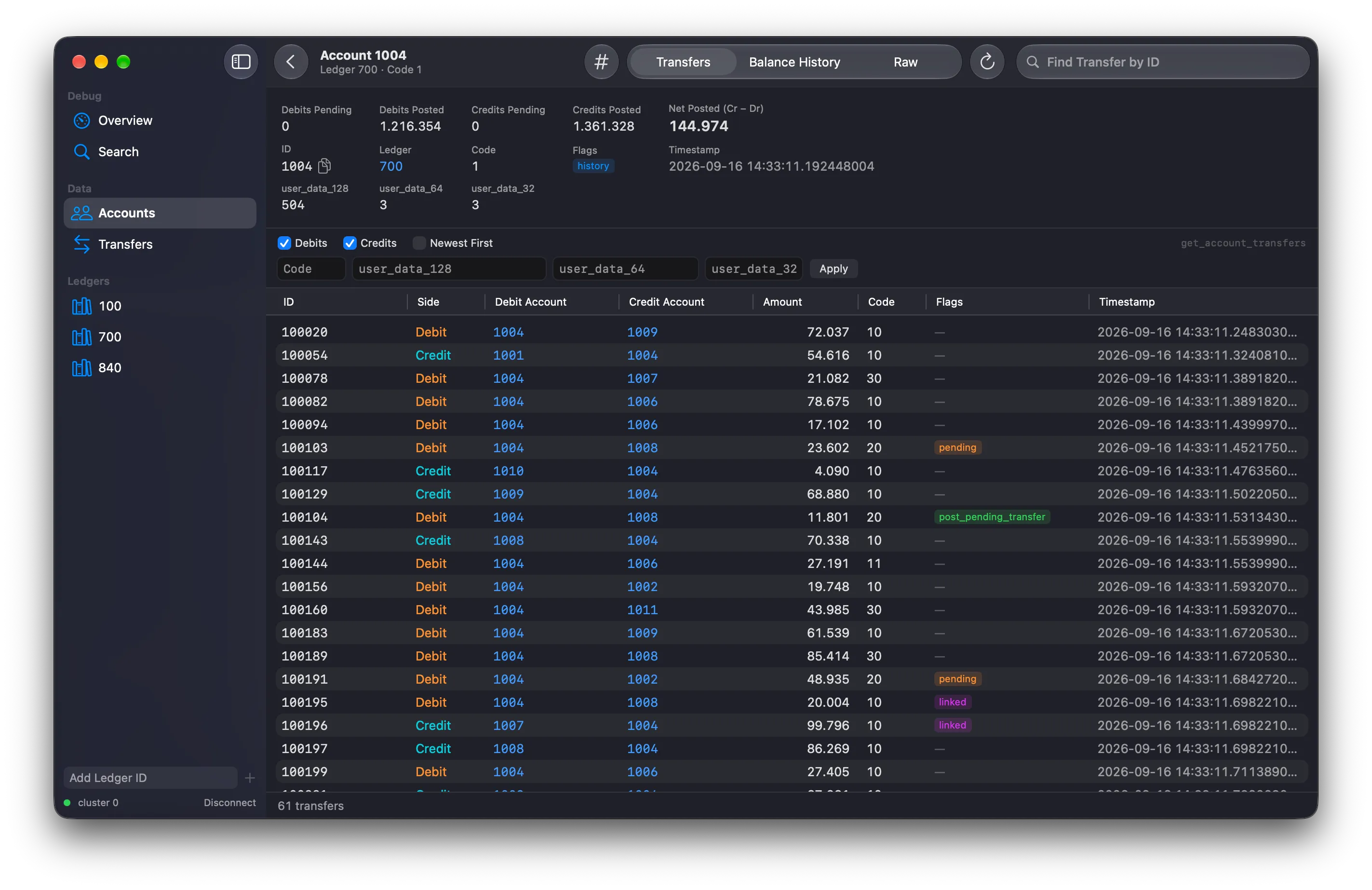
Everything in your cluster, one click away
Follow money from ledger to account to transfer and back, without writing a single query by hand.
Saved connections
Keep a list of clusters with name, cluster id, replica addresses and when you last used them. The overview shows the cluster id, client version, a live latency check and the ledgers discovered so far.
Accounts & transfers, cluster-wide
Browse accounts and transfers with server-side filters for ledger, code and user_data. Results page by timestamp cursor and load more as you scroll.
Account detail
Every field and decoded flag, the account's transfers filtered to debits and/or credits, find a transfer by id, and a Raw tab where every field is copyable.
Balance history
A Swift Charts step chart of get_account_balances with exact values on hover, plus a table. Double-click a row to open the transfer that produced it.
Pending → post / void chains
See whether a pending transfer was posted, voided, expired or is still pending. Search Wider extends the lookback tenfold. Linked transfers show every member of their group.
Search & ⌘K Go to ID
Paste an id and the app detects account vs transfer, or query by ledger, code, user_data and time range. Copy ids as decimal or hex. Light and dark mode follow the system.
How it connects
Keber
SwiftUI app · macOS 15+
tb_client (official C client)
Linked in as a static library, in-process
Your TigerBeetle cluster
Lookups and queries only
Read-only by design
Keber never issues create_accounts or create_transfers, and the project's CI enforces it. Point it at a cluster to look around without worrying about changing what's in it.
ids, amounts and user_data stay UInt128 / UInt64 end to end, with no strings or floating point. The balance chart is the one exception: it plots Double, while its hover readout and tables show exact values.
Official C client
Talks to TigerBeetle through tb_client, compiled into the app. No bundled server, no helper process.
No writes, ever
Only lookups and queries, such as query_accounts, get_account_transfers and get_account_balances.
Install it in one command
Two front ends onto the same clusters: a native macOS app, and a terminal UI for the machine the cluster runs on. Both come from the same tap and upgrade withbrew upgrade.
Homebrew cask · macOS 15+
The macOS app
A notarized universal build, so it opens without a detour through System Settings.
brew install --cask golobitch/tap/keberHomebrew formula · macOS and Linux
The terminal UI
keber browses the same data with k9s-style navigation, on the machine the cluster runs on.
brew install golobitch/tap/keberRequirements & compatibility
The TigerBeetle client is compiled into the app, so it has to match your server.
The client protocol doesn't expose the server's release number. When the cluster evicts the client with release too low or release too high, the mismatch shows up in the connection list and the app refuses to connect.
- macOS 15 or later
- Universal app: runs natively on Apple Silicon and Intel Macs
- The terminal UI also runs on Linux (glibc 2.36+, kernel 5.6+ for io_uring)
- A reachable TigerBeetle cluster running a compatible server release
- Install with Homebrew, or download Keber-macos-universal.zip from the latest GitHub release
Version compatibility
| Component | Version | tb_client | TigerBeetle server |
|---|---|---|---|
| macOS app | 0.0.x | 0.17.9 | 0.17.9 |
| keber (terminal) | 0.0.x | 0.17.9 | 0.17.9 |
New rows are added as TigerBeetle is upgraded. See the README for the current table.
Open source, built in the open
Keber — Slovenian for the cockchafer — is an independent project, not an official TigerBeetle product. The source, issues and releases all live on GitHub. Each release ships a zipped universal app alongside SHA256SUMS.